Dołącz do

Buy a pass
A woman training with battle ropes in the modern interior of the Well Fitness gym.

Well Fitness app

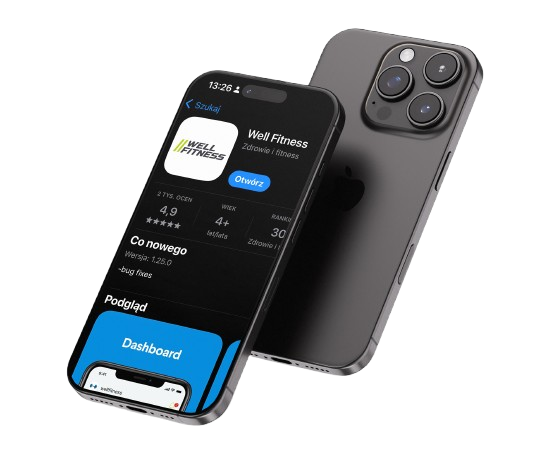
The Well Fitness app makes it easier to use the gym and helps you plan your workouts more effectively. With it, you can check the group class timetable, sign up for selected activities, find information about the gyms, choose a personal trainer, and see how many people are currently at the gym.

This is a convenient solution for both Well Fitness members and those using selected sports packages who wish to manage their own activity at the club.

Download the application

What can you do in the Well Fitness app?

In the app, you’ll find the key features you need before your workout and when using the Well Fitness club on a regular basis.

Enrolment in group classes

Check the current schedule for group classes and sign up for your chosen sessions without having to contact reception. In the app, you can quickly find classes that fit your daily schedule and preferred type of activity.

Choosing a personal trainer

The app allows you to browse the profiles of personal trainers and choose the one who best suits your training goals, fitness level and preferred training style.

Information about Well Fitness clubs

In the app, you can check club addresses, opening hours and basic information about selected venues. This makes it easier for you to plan a visit to the club closest to your home, work or wherever you are at the moment.

Current number of people at the gym

The feature that shows how many people are in the club helps you choose the best time to train. You can check how busy the gym is and decide when it would be most convenient for you to visit.

DOWNLOAD APPLICATION

How do I download the Well Fitness app?

You can download the Well Fitness app on your Android or iOS phone. Once installed, log in to your account or ask at reception for assistance during your first visit to the club.

If you have a sports package and would like to sign up for group classes, please visit your chosen club during reception opening hours. A Club Member Advisor will help you add the relevant package to your account so that you can sign up via the Well Fitness app.


Click to download

well fitness app for iphone

See how to enter the Well Fitness club

How do I book a class on the Well Fitness app?

  1. Download the Well Fitness app onto your phone.
  2. Log in to your account or speak to the club reception if this is your first time using the app.
  3. Select the tab for group classes.
  4. Find the classes you’d like to attend.
  5. Click the „+” sign next to the selected classes.
  6. Please confirm your booking and come to the club on the date you’ve chosen.

If you have a sports membership, please remember to check in before entering the club, in accordance with the terms of your membership.

Cancelling classes in the Well Fitness app

If you are unable to attend a group class, please cancel your booking at least two hours before it starts. This will allow someone else to take your place.

Failing to cancel a class on two occasions may result in a temporary ban on booking further group classes.

The Well Fitness app and sports packages

The Well Fitness app is primarily designed to help you manage your activities at the gym, including booking group classes, checking information about the gyms, and choosing a personal trainer.

If you have a Medicover Sport package, you can simply check in at the gym via the Medicover Sport app. The Well Fitness app, on the other hand, is useful for booking group classes and checking information about the gym.

See also: Sports packages at Well Fitness, Medicover Sport at Well Fitness, MultiSport at Well Fitness.

A woman and a man in sportswear are sitting in a gym chatting after their workout; they are smiling at each other, with fitness equipment and industrial lighting in the background.
faq

Frequently asked questions

The Well Fitness app is used to check the class timetable, book group sessions, choose a personal trainer, view information about the clubs, and see how many people are currently at the gym.

Yes. You can check the available group classes in the app and sign up for the session of your choice.

Yes. You can check the current number of people at the gym via the app, which helps you plan your training session more effectively.

No. To sign up with the Medicover Sport package, you need to register via the Medicover Sport app. The Well Fitness app can also be used to book group classes and check club information.

Didn't find an answer to your question?

Contact us - we are here to help.
.